
Reordering or rewording questions can help make your forms clearer and easier for reporters to complete, without affecting your underlying data or field mapping.
Reordering questions
You can move questions or sections at any time in the Form Builder to improve the order or flow of your form. Changing the order doesn’t affect how data is stored, it only changes what reporters see when completing the form.
Follow the step-by-step instructions or watch the video guides available below.
To reorder questions
-
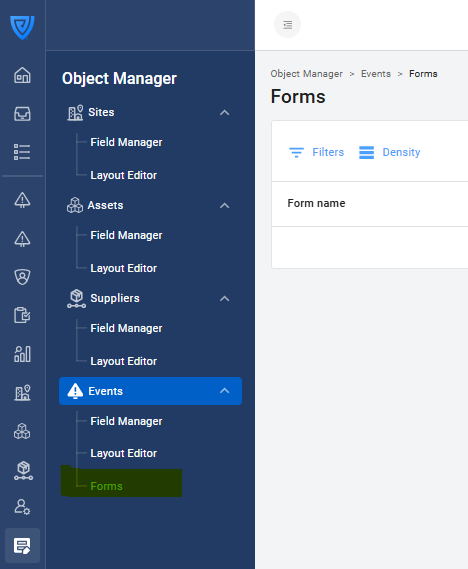
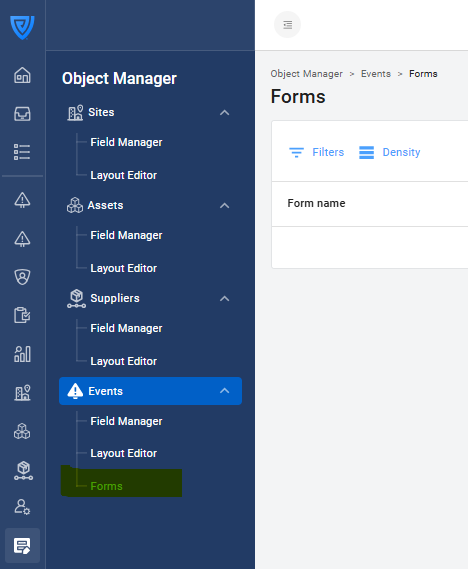
Go to Object Manager → Events → Forms.
-
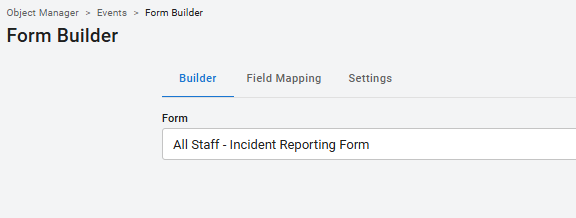
Open the form you want to edit.
-
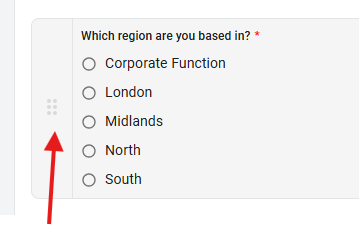
Click and hold the six dots to the left of a question or section.
-
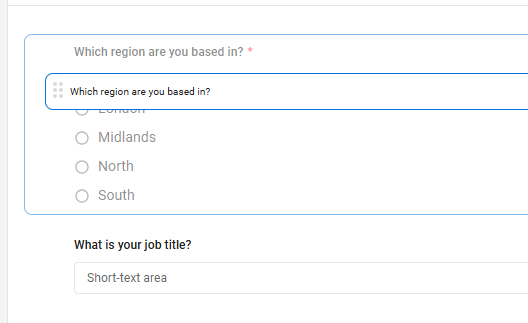
Drag and drop it to the new position.
-
Click Publish in the top-right corner regularly to save your changes.
Tip: Group related questions into clear sections (for example, “General details” or “Injury information”) to make your forms more straightforward to navigate.
Rewording questions
You can update the wording of a question to make it shorter, clearer, or more user-friendly. Rewording doesn’t affect the question’s field mapping or the data already collected, as long as you keep the same field connected.
To reword a question:
-
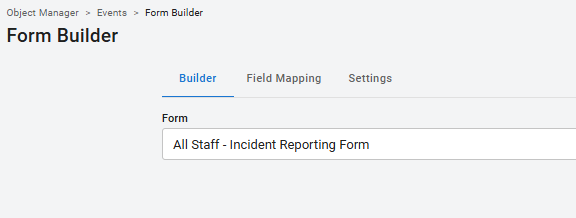
Open the Form Builder, select your form, and click on the question you want to edit.

-
Update the text in the Question field.

-
Click Publish to save your changes.
Important: If you change the meaning of a question, make sure you review which field it’s mapped to in the Field mapping tab. Changing a question’s purpose without updating its mapping can lead to incorrect or inconsistent data in your event records. If your new question collects different information, create a new field instead of reusing the existing one.
Example: Changing “Was the person injured?” to “Was the person a contractor?” alters the purpose of the field and would require creating a new field rather than reusing the original one.
-
Use simple, direct language reporters can understand at a glance.
-
Avoid acronyms or internal terms unless they’re widely understood.
-
Keep questions concise - aim for one clear idea per question.