
If your organisation is distributed across different areas, you can create teams to distinguish each user according to team or division.
This makes it easier for reporting and management, as you can also allow Managers to monitor and control users within specific teams. You can add devices to teams, so if you are still determining where each of your devices is, you can add them to a specific team and then each team knows the exact devices they have.
To create and edit Teams, you need to be an Account Owner.
Create
-
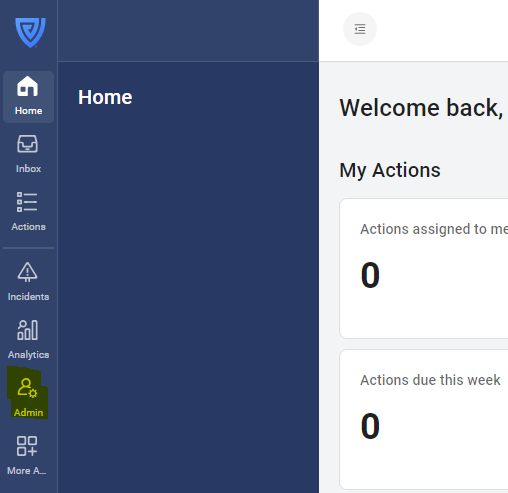
Click on the 'Admin' button in the navigation bar.
-
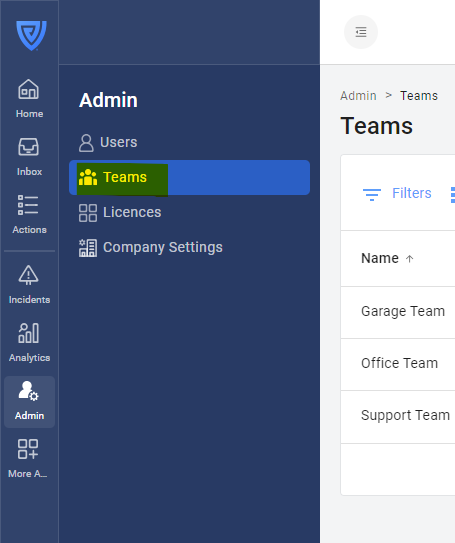
Click on 'Teams' in the navigation bar.
-
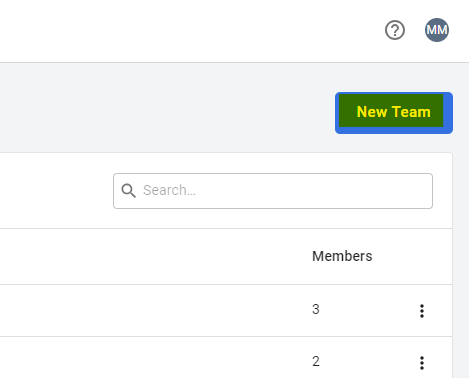
Click on 'New Team' in the top right.
-
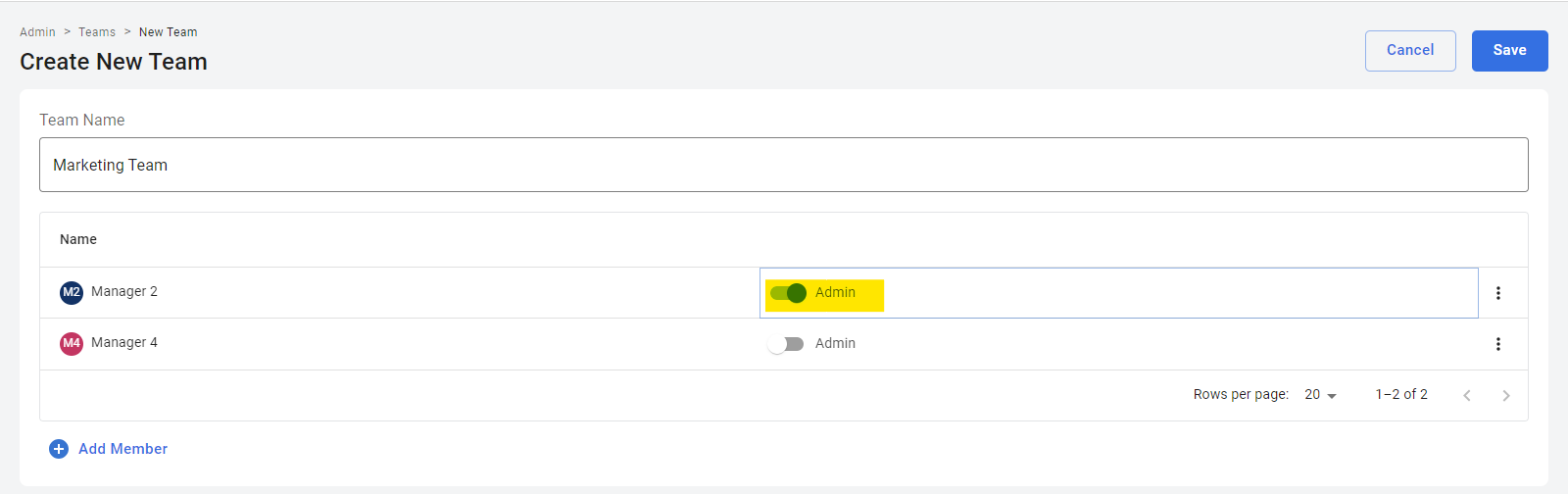
Name your Team, add team members, and click 'Save'.
-
To assign a Team Manager, click on the toggle next to the user's name.
Edit
-
To add a user to a Team, click on the Team and then click on 'Add Member' button at the bottom of the list of users.
-
To remove a user from a Team, click on a Team, click on the three dots next to the user you wish to remove and click 'Remove'.
-
To make someone a Team Manager, see step 4 above.
-
Click 'Save' to save your changes.
-
To delete a Team, click on the three dots next to the Team you wish to delete and click 'Remove'.