One of the users has left the organisation, how do I remove them from the account?
To remove users, you need to be an Account Owner. If you do not have Account Owner permissions, you will need to contact your system administrator to remove users.
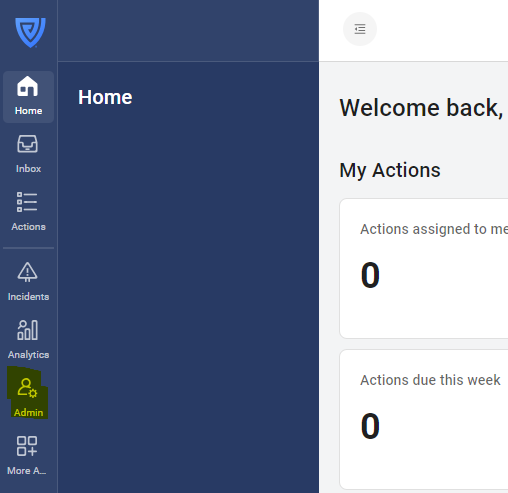
Click on the 'Admin' button in the navigation bar.
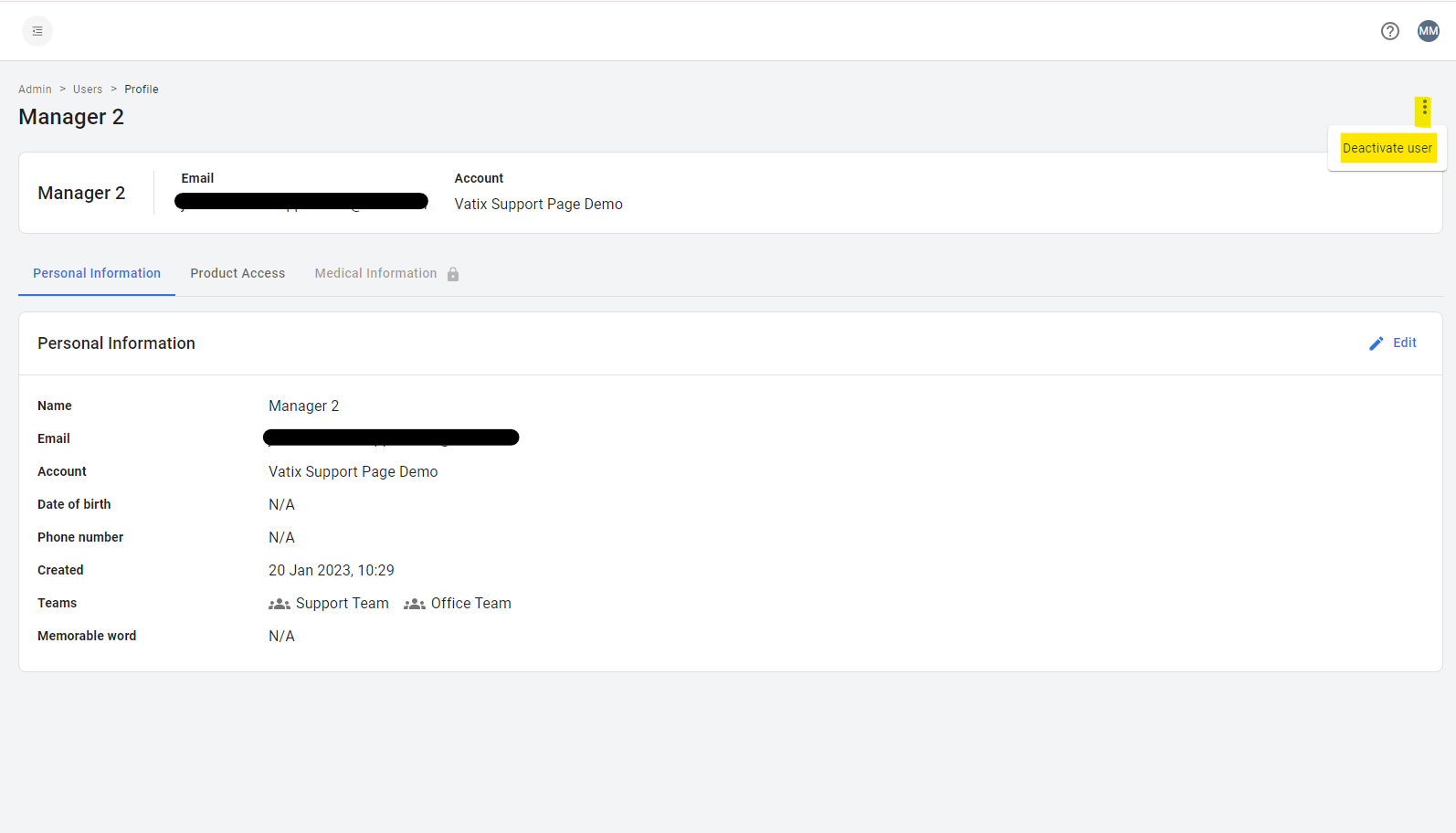
Click on the user you would like to remove.
Click on the three dots in the top right-hand corner, and select 'Deactivate user'.
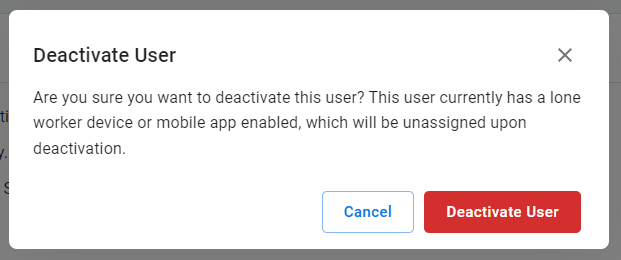
To confirm, click 'Deactivate User'. This will automatically unassign their product licence and free this up for other users. If they have a mobile app licence or Safe Pro device assigned to them, these will also automatically be unassigned. It will also remove their phone number so it can be used for other users.